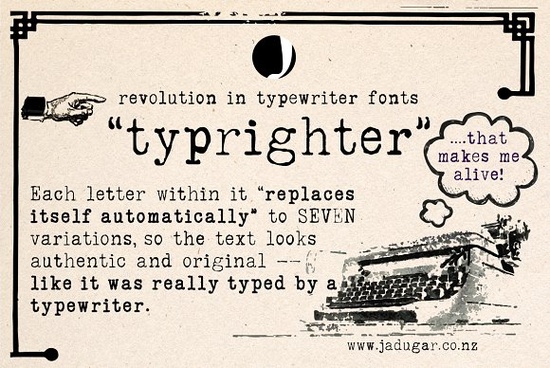
If you're looking for a typewriter-style font that avoids the “too perfect” look where every letter repeats identically Typrighter Font solves that problem in a practical, built-in way. It’s not just another monospaced typeface with faded ink textures. What makes Typrighter different is its use of contextual substitutions: each character automatically swaps itself for one of up to seven subtle variations as you type. That means an “a” might appear slightly uneven, misaligned, or lightly smudged just like real typewriter output without any manual swapping or layering.
How does Typrighter actually work in design software?
Typrighter works in most modern design tools that support OpenType features including Adobe Illustrator, Photoshop, Affinity Designer, and even newer versions of Canva (when uploaded as a custom font). You don’t need plugins or scripts. Just install the font, enable “Contextual Alternates” in your character panel (usually under OpenType or Glyphs), and start typing. The variation happens live as you go. No copy-pasting from glyph panels. No tedious manual swaps. It’s designed to behave like a working typewriter not a static image.
This behavior makes it especially useful for designers creating vintage posters, handmade greeting cards, journal covers, or printable quote art. Print-on-demand sellers also find it helpful for mug designs, T-shirt quotes, or notebook interiors where authenticity matters more than polish. Because the variations are baked into the font file not added later as effects it scales cleanly at any size and exports crisply to PDF or PNG.
Who benefits most from using Typrighter?
Designers who frequently work with retro or analog-inspired themes will appreciate how little extra effort Typrighter requires. Unlike manually layering scanned typewriter textures over clean text, this font builds texture into the letterforms themselves.
Crafters using Cricut or Silhouette machines often pair Typrighter with cut files for layered vinyl projects like framed quotes or chalkboard-style wall decals. Since the font renders consistently across devices, what you see on screen matches closely what cuts on your machine.
Small business owners selling physical or digital stationery (think thank-you cards, wedding invites, or printable planners) can use Typrighter to add quiet personality without overdesigning. It reads as thoughtful, not gimmicky especially when paired with simple layouts and neutral paper tones.
How does it compare to other typewriter-style fonts?
Many typewriter fonts rely on a single glyph per character or offer only two or three alternates, usually requiring manual selection. Typrighter goes further by cycling through up to seven variations automatically, based on letter position and neighboring characters. That helps avoid visual repetition that breaks the illusion.
It’s also more legible than heavily distressed alternatives. While it includes subtle imperfections slight kerning shifts, faint ink bleed, and light baseline wobble it stays readable at small sizes. That’s why it pairs well with cleaner serif fonts like Whimora for body text or headings, or even Savage Roses for contrast in mixed-typography layouts.
For reference, you can see how other designers use similar approaches by exploring the Typrighter Font collection on Creative Fabrica, or compare it directly with the Whimora Font and Savage Roses Font for complementary styles.
Practical tips before you download
- Test it first in your primary design app some older versions may not fully support contextual alternates.
- Try it in short phrases first (“Dear friend,” “Typed with care,” “July 12, 1947”) to get a feel for how the variations flow.
- Avoid pairing it with other highly textured fonts it works best alongside clean serifs or minimal sans-serifs.
- If printing on textured paper, Typrighter’s subtle inconsistencies often enhance the tactile feel rather than compete with it.
- Remember: it’s not meant to mimic a broken typewriter. Think “well-used but functional” not “jammed keys.”
One last note: if you’re building a brand identity or product line around vintage aesthetics, consider testing Typrighter alongside hand-lettered elements or scanned paper textures but keep the font as your anchor for consistency. Its reliability across formats and sizes makes it a quietly versatile tool, not just a one-off novelty.
Next step: Install Typrighter, open a new document, type a short sentence, and toggle “Contextual Alternates” on and off. Watch how the rhythm changes not just the look. That’s the difference between decoration and behavior.
Learn More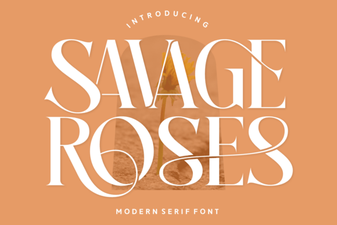 Download Savage Roses Font for Creative Designs
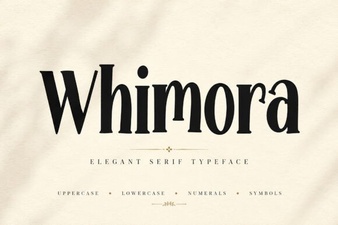 Elevate Your Design Projects with Whimora Font
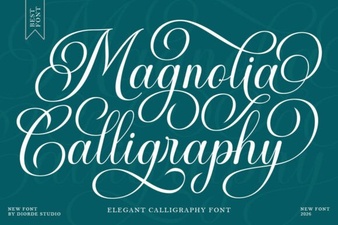 Magnolia Calligraphy Font for Elegant Design Projects
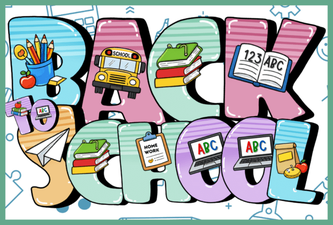 Creative Back to School Fonts for Classroom Projects
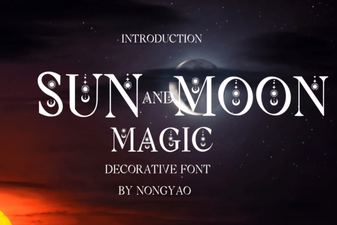 Craft Typography with Sun & Moon Symbol Magic
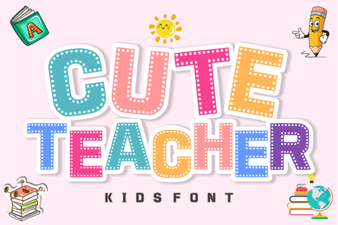 Free Download: Creative Cute Teacher Fonts