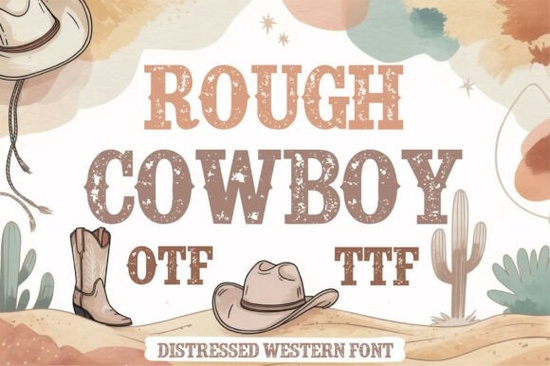
If you're looking for a bold, authentic western typeface that feels hand-stamped on weathered barn wood not overly polished or cartoonish Rough Cowboy Font fits the bill. It’s a slab serif font with intentional texture, subtle irregularities, and that unmistakable rugged charm you’d expect from vintage rodeo posters or small-town saloon signage. Whether you’re designing a t-shirt for a country music festival, branding a craft cider company, or creating sublimation-ready merch for Etsy, this font brings warmth and character without needing extra effects.
What makes Rough Cowboy different from other western fonts?
Many “cowboy” fonts lean too playful (think cartoon cacti and exaggerated serifs) or too sterile (clean vector outlines with no grit). Rough Cowboy strikes a balance: it’s legible at large sizes, holds up well in print and embroidery, and carries visual weight without looking heavy-handed. Its slab serifs are strong but not blocky, and the distressed texture is baked into the letterforms not added as an overlay. That means it scales cleanly from a 12-oz tumbler design to a 48" event banner.
It also includes full uppercase and lowercase letters, numerals, punctuation, and basic multilingual support (including accented characters used in Spanish-speaking markets handy if you’re designing for festivals or regional brands across the Southwest or Latin America).
Where does it work best?
This font shines in contexts where authenticity matters more than perfection. Think:
- Western apparel: T-shirts, denim jackets, bandanas especially when paired with simple line art like lassos, boots, or desert silhouettes.
- Rustic branding: Coffee roasters, BBQ joints, distilleries, or farm-to-table shops wanting a grounded, no-frills identity.
- Print-on-demand projects: Sublimation mugs, tote bags, and vinyl decals benefit from its high-contrast shapes and texture-friendly outlines.
- Digital use: Works well in Canva, Cricut Design Space, Silhouette Studio, and Adobe apps just make sure to install the OTF or TTF file first.
You’ll find it especially useful alongside complementary fonts like a clean sans-serif for body text or a delicate script for taglines. For example, pairing Rough Cowboy Font with a relaxed handwritten style creates contrast without clashing.
How to use it thoughtfully
Because it’s bold and textured, Rough Cowboy works best at medium to large sizes typically 24pt and up for print, or 48px+ on screen. Avoid using it for long paragraphs or small labels (like care tags or ingredient lists), where readability suffers. Instead, reserve it for headlines, logos, and short impactful phrases like “Est. 1987”, “Hand-Crafted”, or “Texas Strong”.
When working in vector-based tools like Illustrator or Inkscape, consider converting the text to outlines before sending to a cutter or printer this preserves the texture and avoids font substitution issues. And if you’re prepping files for DTG printing, check your service’s color separation guidelines; the built-in texture usually prints cleanly in one spot color.
Is it beginner-friendly?
Yes if you’ve used fonts before in design software, you’ll be up and running in minutes. No special plugins or learning curves. Just download the zip file, install the font on your computer, and select it in your app’s font menu. It comes with clear documentation and licensing info for personal and commercial use (including POD platforms like Redbubble and Teespring).
That said, if you’re new to typography, keep an eye on spacing. The natural irregularity of the letterforms means default tracking might feel too tight or loose. A quick manual adjustment (+20–+40 tracking in most cases) often improves rhythm and balance.
For designers exploring similar options, you might also like slab serif fonts with quieter textures or even vintage display fonts that share its era-inspired spirit but suit different moods (e.g., mid-century diner vs. frontier town).
If you’re already using Rough Cowboy Font, you can expand your toolkit by browsing our curated collection of slab serif fonts many include matching alternates, dingbats, or companion sans styles for cohesive branding.
Before you download: Check your project’s intended output method (screen, print, cut vinyl, sublimation), confirm the font’s license covers your use case (it does for most small-business and POD applications), and test it at actual size not just in preview mode. A quick mockup on a real product image goes a long way toward spotting spacing or texture issues early.
Learn More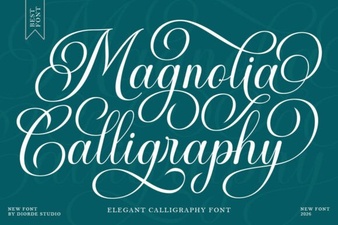 Magnolia Calligraphy Font for Elegant Design Projects
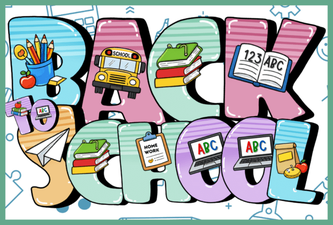 Creative Back to School Fonts for Classroom Projects
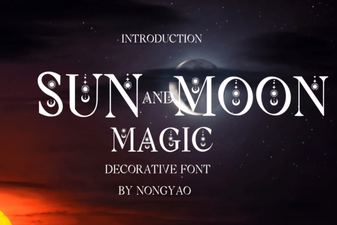 Craft Typography with Sun & Moon Symbol Magic
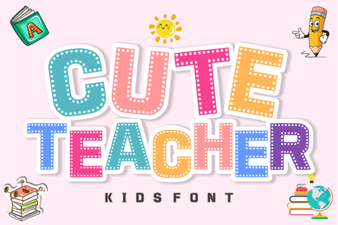 Free Download: Creative Cute Teacher Fonts
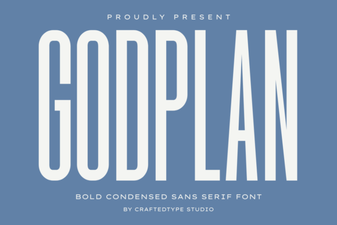 Godplan Font: Creative Typography for Modern Projects
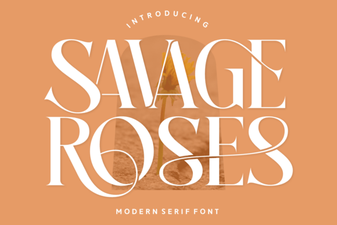 Download Savage Roses Font for Creative Designs